

RFID Printing: The Guide to Custom Logo and Barcode Printing on RFID Tags
Jun 08, 2026
Leave a message


Most buyers researching a custom RFID printing project hit the same wall: half the search results try to sell them a printer, the other half assume they already know the difference between silk screen and retransfer. If what you actually need is a batch of key fobs, cards, or wristbands carrying your logo and a scannable barcode, this guide walks through the decisions that determine whether that batch performs for five years or gets rejected at incoming inspection.
One Search Term, Two Very Different Purchases
RFID printing covers two separate operations that happen to share a name. The first is surface printing: putting a logo, serial number, or barcode on the visible face of a tag. The second is chip encoding: writing a unique identifier into the tag's memory. A tag can pass one and fail the other, and a batch is only usable when both agree on every single unit.
That distinction matters more now than it did five years ago, because volume has exploded. The RAIN Alliance reported 42.7 billion UHF tag chips shipped in 2025 alone, with adoption spreading from retail apparel into food, beauty, electronics, and logistics (RAIN Alliance). At those volumes, the question is no longer whether your items get tagged. It is whether the printed face and the encoded chip on each tag tell the same story, and who is accountable when they do not.
This guide takes the buyer's side of an RFID printing order: process selection, durability, data integrity, and what to put in the purchase spec.
Eight RFID Printing Processes, Compared on What Actually Wears Out
Every factory quoting custom printed RFID tags is choosing from roughly the same eight processes. The differences show up in three places: how long the mark survives, how rich the color can be, and how the cost curve behaves as quantity grows.
| Process | Color capability | Relative durability | Where it wins |
|---|---|---|---|
| Silk screen | Solid spot colors, Pantone-matched | High with UV overcoat | Branded fobs and wristbands at volume |
| UV digital printing | Full color, fine gradients | Medium-high | Complex artwork, smaller runs |
| Laser engraving | Monochrome only | Permanent (mark is in the material) | Serial numbers, barcodes, harsh handling |
| Pad printing | Spot colors on curved surfaces | Medium | Irregular shapes standard presses cannot reach |
| Heat / thermal transfer | Full color | High on textiles | Fabric wristbands, care labels |
| Dye sublimation | Full color photo quality | Medium | Cards and badges with photos |
| Retransfer | Full color, edge-to-edge | High on cards | Premium card programs |
| Epoxy doming | Full color under clear dome | Glossy but impact-sensitive | Retail-facing keychains, light duty |
The honest reading of this table is not "each has pros and cons." For a color logo at volume, silk screen with a UV protective layer is the default answer, and laser engraving RFID tags is the only choice when the mark must outlive the housing, because the laser alters the material itself rather than sitting on top of it. Where we will take a clear position: epoxy doming photographs beautifully and demos well, but the surface layer is brittle. Patent literature on key fob construction states plainly that epoxy-coated fobs dropped onto a hard surface from one to two meters crack and delaminate (European Patent Office), and tags that ride in pockets meet that drop weekly. If your fobs live on janitors' keyrings rather than display racks, specify ABS with silk screen and skip the dome.

The default shifts in exactly two project profiles: runs below roughly 500 units, where screen setup dominates the quote and UV digital becomes the economical route, and silicone substrates, where ink adhesion narrows the menu to pad printing or engraving. On cost, the spread is narrower than most buyers assume: at volumes in the thousands, the gap between the cheapest process on a given product (almost always silk screen) and the most expensive (retransfer or doming) is typically a factor of two to three per unit, not ten, which means durability fit, not price, should drive the call. All eight processes run on our OEM printing line, which is why this table can afford to be blunt about where each one breaks down.
Match the Process to the Abuse, Not the Artwork
A useful RFID printing spec starts from the worst day of the product's life, not from the brand book. Four deployment scenarios cover most B2B orders, and they pull in different directions.
Access-control key fobs spend years against keys, coins, and pocket grit, and in hospitals or food plants they also meet alcohol wipes daily. For this profile, logo printing on RFID key fobs should either be laser-engraved or screen-printed with a cured protective layer; raw inkjet-style decoration fades into illegibility within months of alcohol contact. Color is negotiable here. Survival is not.
Event wristbands invert the math. A festival band lives three days in sweat and sunscreen, so the premium is on full-color impact and per-unit cost rather than five-year durability; silk screen printing on (https://www.syntekrfid.com/rfid-wristband/) handles bold sponsor logos cheaply, while dye sublimation earns its price only when the artwork has photographic gradients. The selection logic for closures, fabrics, and chip types is its own topic, covered in our guide to choosing RFID cloth wristbands for events.
Access-control and membership cards face a different abuse profile: hundreds of reader swipes plus wallet storage, on a gloss face that shows every scratch. Among RFID card printing methods, retransfer earns its premium only when the brief demands edge-to-edge coverage or full-bleed photography; standard dye-sublimation PVC handles photo ID at lower cost and reprints faster when staff turn over. Chip and material pairings for both sit in our RFID card range.
Laundry and textile tags are the extreme case: industrial wash chemistry, 60°C+ cycles, and mechanical extraction, repeated hundreds of times. Heat transfer is effectively the only printing route that survives, and even then the details of adhesive layers and cure parameters decide whether a label lasts; we broke down what 500 wash cycles demand in our piece on heat transfer RFID care labels.
The Part Nobody Puts in the Brochure: Printed Data vs. Chip Data
When an order includes barcode printing on RFID tags, every unit carries the same identity twice: once in ink, once in silicon. Any process that lets those two drift apart produces tags that look perfect and poison your database.
On industrial print-and-encode lines, the drift happens in three documented ways.
The first is the void. When the encoder cannot write or verify a chip, the unit gets struck through and discarded. Entire rolls have voided out over a single protocol-control bit: when the Monza4 chip generation changed how the User Memory Indicator (UMI) bit behaves, printers that had not accounted for it began voiding good stock, an issue documented in BarTender's RFID troubleshooting knowledge base alongside more mundane causes like mis-calibrated label positioning.
The second is quieter and worse. A field advisory published for printers built on M5e encoder modules documented tags shipping with one 16-bit segment of the EPC written incorrectly while the host log recorded a successful encode; the affected NXP UCode7 and Impinj Monza3 combinations carried no void mark and required a module firmware update (version 20141007) to close the hole (Barcode Bootcamp). Bad tags that announce themselves cost money; bad tags that pass as good cost reconciliation projects.
The third is human, and it is the one we see most often on incoming spec sheets: a buyer supplies an 8-character product code without knowing that a valid EPC bank takes 16 or 24 hexadecimal characters. The encoder pads the remainder with zeros and reports success; the chip now holds a value that no downstream WMS will ever recognize as the intended identifier, while the printed code on the surface looks exactly right.

This is why mature retail programs treat verification of RFID printing and encoding output as non-negotiable. Research by the Auburn University RFID Lab with GS1 US found that 69% of orders moving between brands and retailers contained data errors when reconciled by legacy barcode methods, while EPC-based identification brought order accuracy to 99.9% and lifted inventory accuracy from an average of 63% to 95% (GS1 US). The accuracy gain only materializes if the tags themselves are clean at delivery.
For a buyer, the acceptance ceiling that item-level tagging programs work to reduces to three red lines: the printed code must match the chip read on every sampled unit, no two tags in the batch may share an identifier, and the defective-tag rate must stay under one percent. On our lines those three checks run as a fourth defense: 100% outgoing inspection cross-scans every tag's encoded EPC against its printed code before packing, and the scan log ships with the order on request. Knowing the red lines is the easy half; the clause wording that makes a supplier stand behind them at the 50,000-piece scale is in the ordering section below.
Artwork Rules That Protect Read Range
A second insider constraint: ink is not electrically neutral. Metallic and foil-effect finishes contain conductive particles, and a conductive layer printed over the antenna region attenuates the radio signal. The effect is real enough that patents exist for deliberately tuning read range downward using reflective-ink patterns (US Patent 7,106,196 describes exactly this mechanism). Peer-reviewed antenna work shows how sensitive performance is to conductor choice; in one controlled comparison, aluminum thermal-transfer antennas gave up as much as 33% of the read range achieved by otherwise identical copper ones (ResearchGate).
The practical rule for RFID printing artwork is simple to state: full-coverage metallic effects need to be reviewed against the inlay layout before tooling, and any factory worth using will overlay your design on the antenna footprint as a standard pre-production step. The same review should confirm barcode resolution against real thresholds: for most 1D codes at typical tag sizes, 300 dpi is the working minimum (the resolution our screen and UV lines hold as standard), and small-format GS1 DataMatrix codes on tags under 25 mm want 400 dpi before the quiet zone collapses below scanner spec.
Pre-Printed at the Factory or Printed On Demand: Decide by Data, Not by Habit
The pre-printed-versus-on-demand debate is usually framed as a preference. It is better framed as a question about your data. If every tag in the order carries identical artwork and a serialized code that follows a rule, factory RFID printing wins on unit cost, consistency, and the QC infrastructure already wrapped around the production line. If each tag needs variable, unpredictable data assigned at the moment of use (patient wristbands, same-day visitor badges), then on-demand RFID printing in your own facility is the right architecture, and products exist to serve it; printable RFID paper for in-house card and badge runs has been reported at roughly 20 cents per tag (RFID Journal).
One clarification that vendors of desktop equipment rarely volunteer: the on-demand option only exists for flat label and card media. Molded hard tags (ABS fobs, silicone wristbands, epoxy keychains) physically cannot pass through a desktop unit, so for those products the choice was never real; the printing happens at the factory or not at all.
Where the comparison is genuinely open, three inputs decide it: the per-piece price an RFID tag printing service quotes for pre-printed stock, your annualized printer-plus-ribbon-plus-media cost, and the void rate you will eat while climbing the learning curve.
Run those three and the crossover for fixed artwork typically lands between 2,000 and 5,000 units. Below that range, on-demand only pencils out if the printer already exists for another purpose; above it, pre-printed RFID labels from the factory win every time, and the only thing left to model is lead time.
What to Send the Factory, and What to Check When the Cartons Arrive
A clean bulk RFID printing order comes down to handing over an unambiguous spec and verifying against it. The package your supplier needs before quoting:
Vector logo files (AI/EPS/PDF), with Pantone references for every spot color
Product type and material, or the application described plainly so the factory can recommend both substrate and process
The encoding rule table: identifier scheme, number ranges, memory bank, and lock state
The printed-data format: which characters appear in human-readable form, plus barcode symbology if used
Quantity, target delivery, and an explicit request for pre-production printed samples
The encoding rule table is where most first orders stall. The single most common error we receive is a sequential decimal range, SKU 001 through 500, submitted as the EPC without hex conversion and padding to 24 characters; if your WMS uses the SKU as the identifier, have your IT team supply the hex-formatted range before the table reaches us, or ask for our working template up front.

Two clauses worth lifting straight into the purchase order: "Defective tag rate not to exceed 1% per lot, verified by 100% outbound EPC scan; scan log to be provided with shipment" and "Printed human-readable code and barcode must match the encoded EPC on all inspected units; any duplicate EPC within the lot constitutes grounds for lot rejection." These two are the minimum floor; the full set of rejection triggers and lot-traceability requirements sits in our standard QC acceptance template, available with a sample request.
On arrival, incoming inspection mirrors the three red lines from the data-integrity section: cross-scan a defined sample so the printed code and the chip read are compared unit by unit, run the batch file through a duplicate check, and spot-test print durability with the solvent or abrasion your environment actually applies. We run 100% outgoing inspection on every order and will provide the scan log; a supplier that hesitates on either point is telling you something.
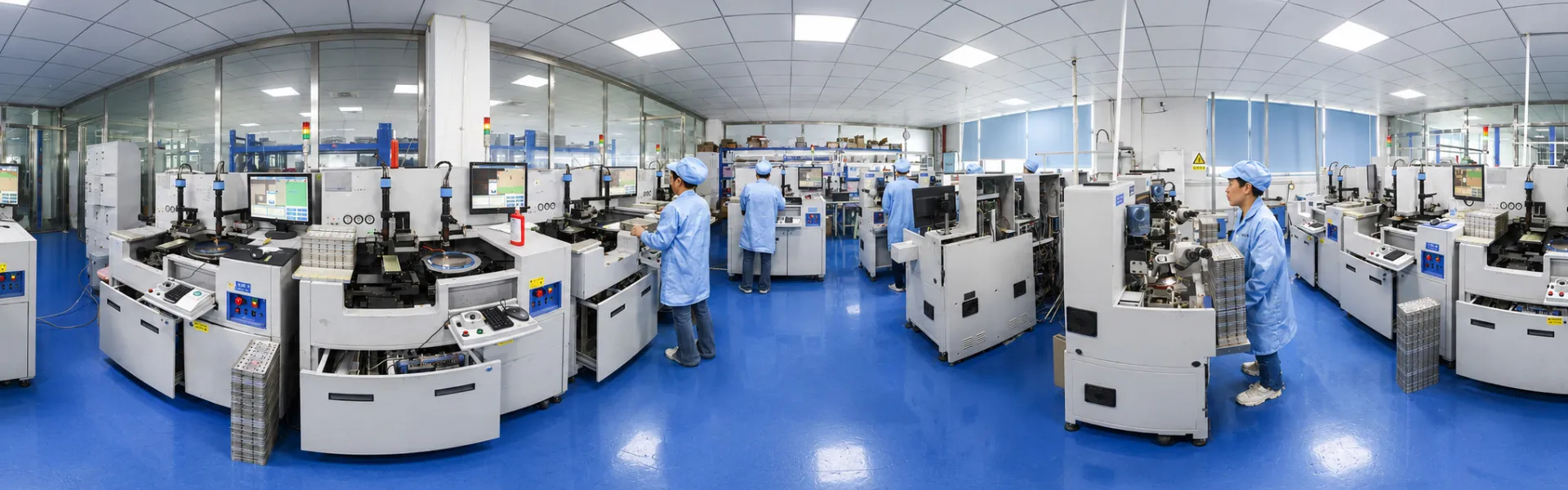
That standard is easier to hold when the whole line is in-house. Syntek has run chip bonding, molding, and surface printing under one roof since 2006: five production lines, chip bonding capacity above 100,000 units a day, molded-color consistency held to ΔE<1, and exports to Europe, the Americas, and the Middle East since 2012. If you are at the spec-writing stage, the fastest route is to put real samples in your hand. Our custom RFID printing service covers all eight processes described above with Pantone matching and full outgoing inspection, and you can request printed samples and our QC acceptance template against your own artwork before placing a production order.
FAQ
Q: Can you print a custom logo on RFID tags?
A: Yes. Factories apply logos by silk screen, UV digital, laser engraving, pad printing, or heat transfer, chosen by tag material and durability requirement.
Q: What is the most durable method for printing on RFID key fobs?
A: Laser engraving, because the mark is made in the material itself; screen printing with a UV overcoat is the durable choice when the logo needs color.
Q: Can a barcode be printed on an RFID tag?
A: Yes, and it is standard practice; the printed barcode must be verified against the chip's encoded data so both identifiers always match.
Q: Does printing damage the RFID chip or antenna?
A: Normal surface printing does not, but metallic or conductive inks placed over the antenna area can reduce read range and should be reviewed before production.
Q: Should I order pre-printed RFID tags or print them in-house?
A: Pre-printed wins for fixed artwork and rule-based serialization; in-house RFID printing only makes sense for flat media with unpredictable per-tag data.
Send Inquiry